


















Choose your region, country/territory, and preferred language
Custom Gene Entry


 Vector needed on:
Expanded Gene Synthesis Capabilities via IDT x Ansa!
With the new, expanded Gene Synthesis offering, please refer to the screenshots below for step-by-step guidance on navigating the new order entry page and selecting the options most appropriate for your project.
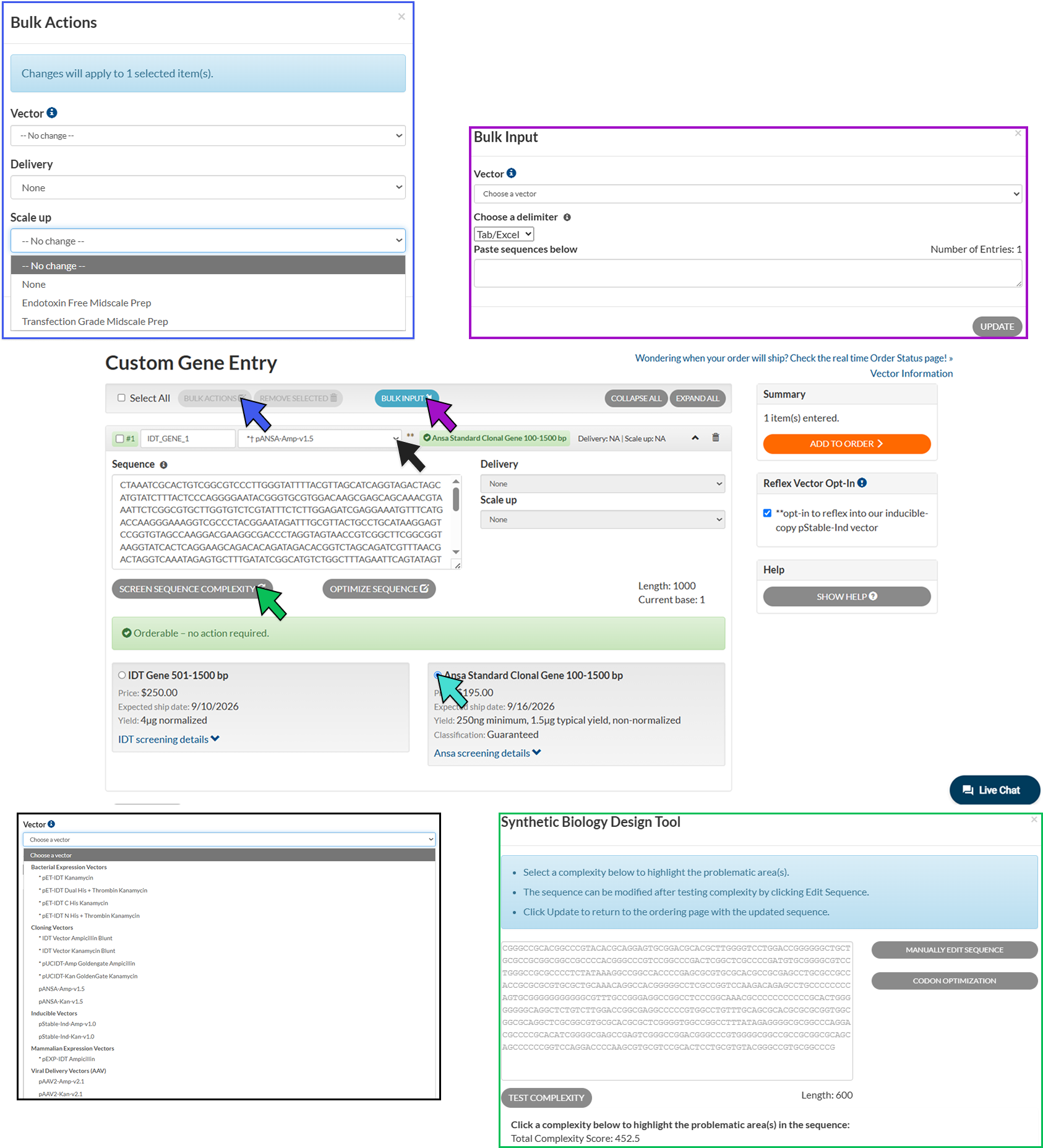
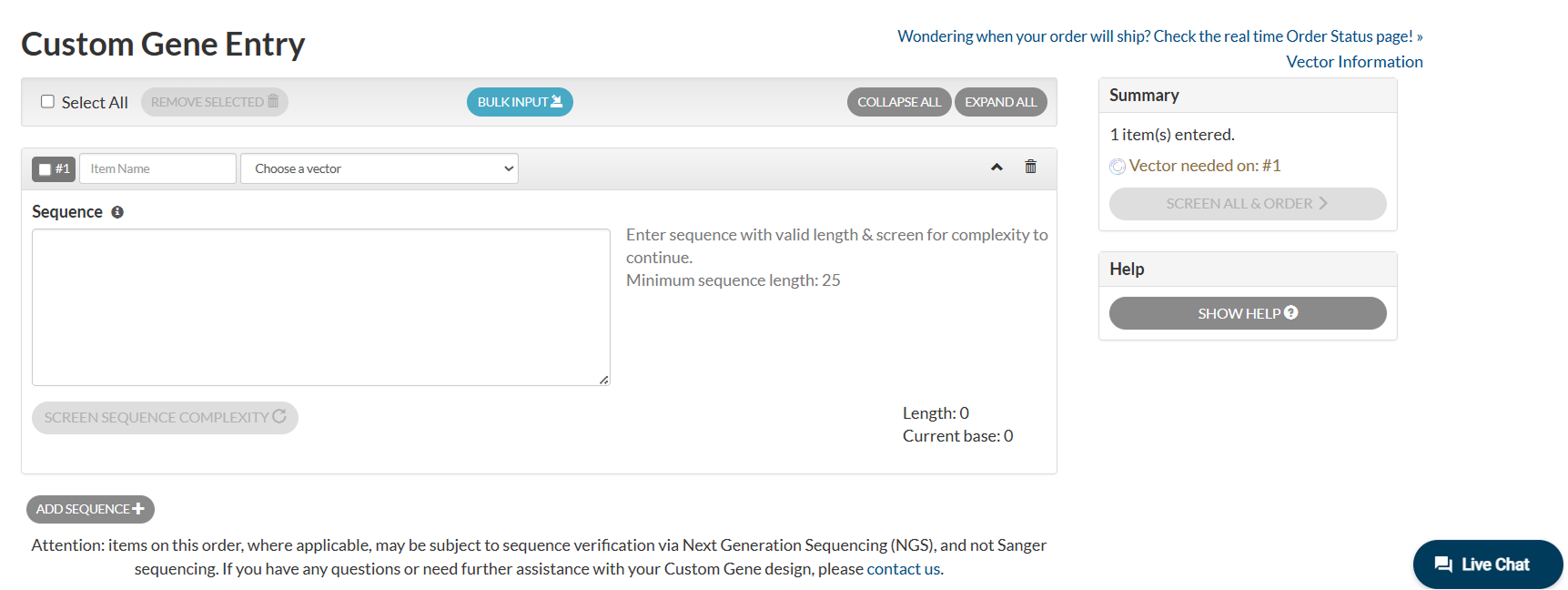
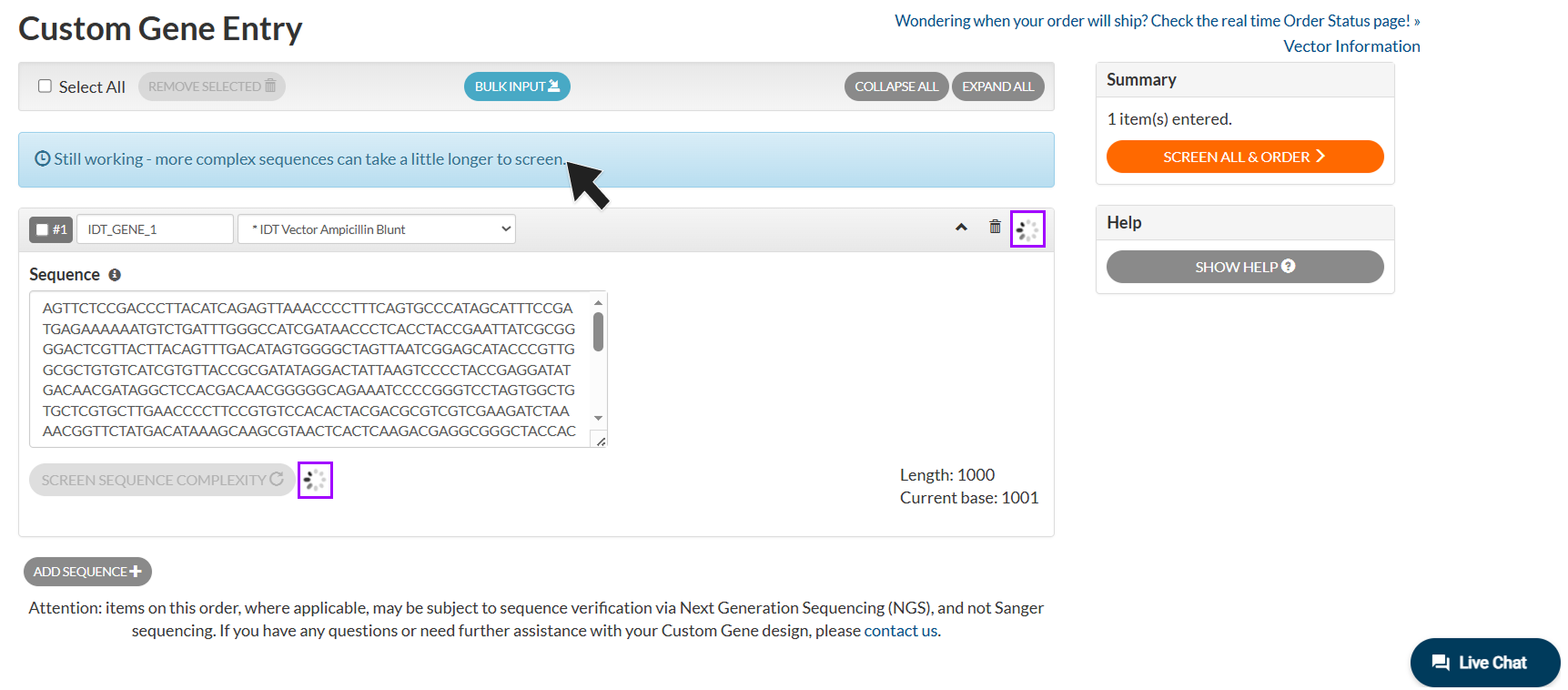
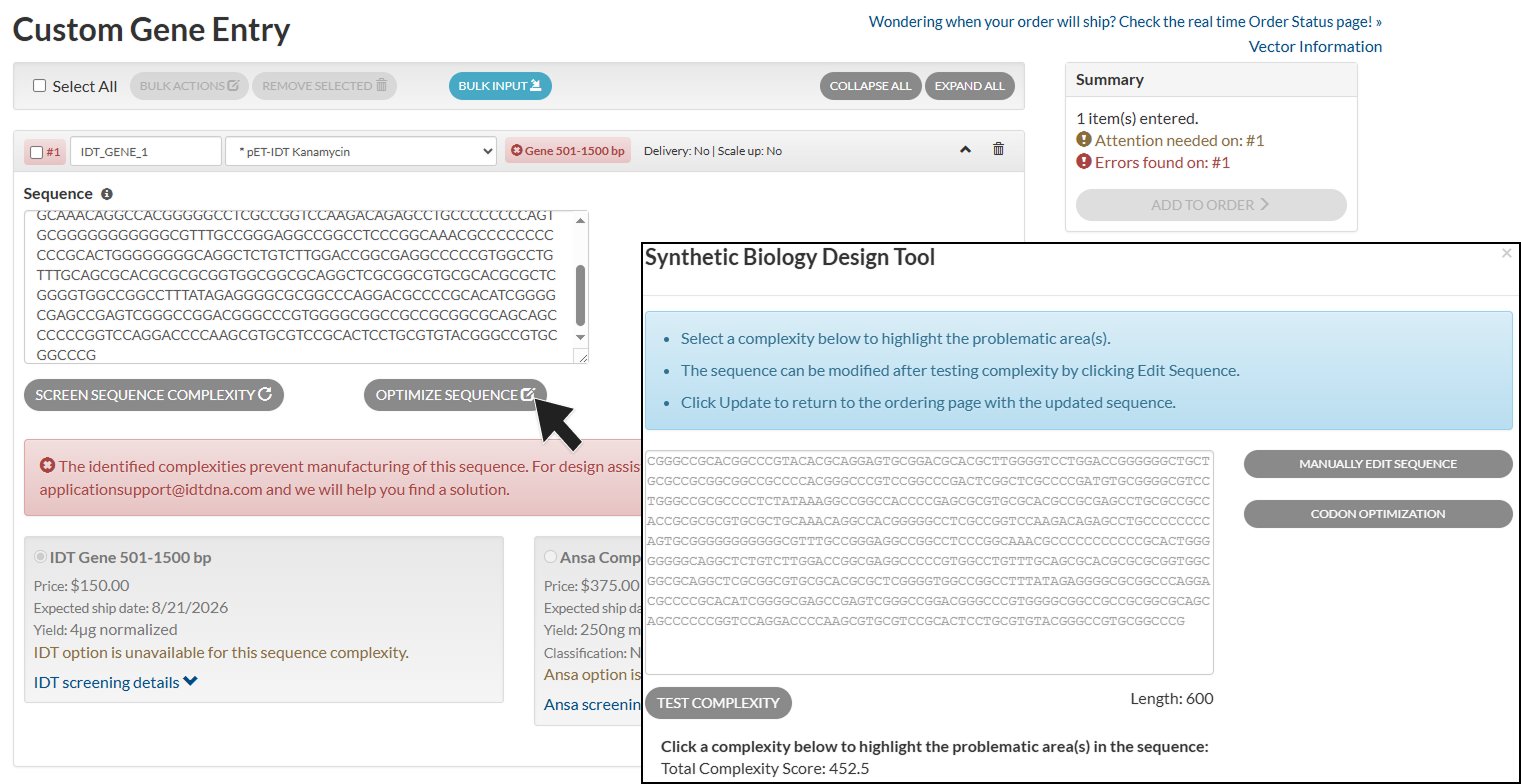
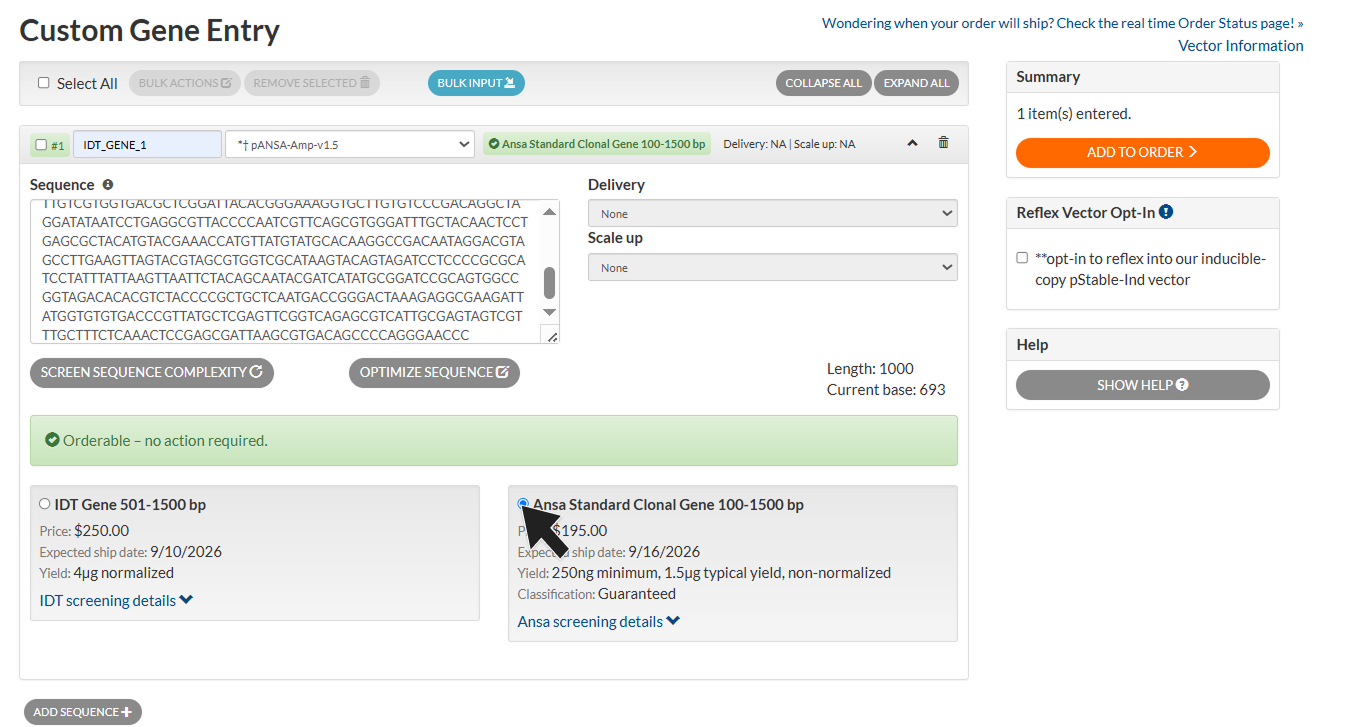
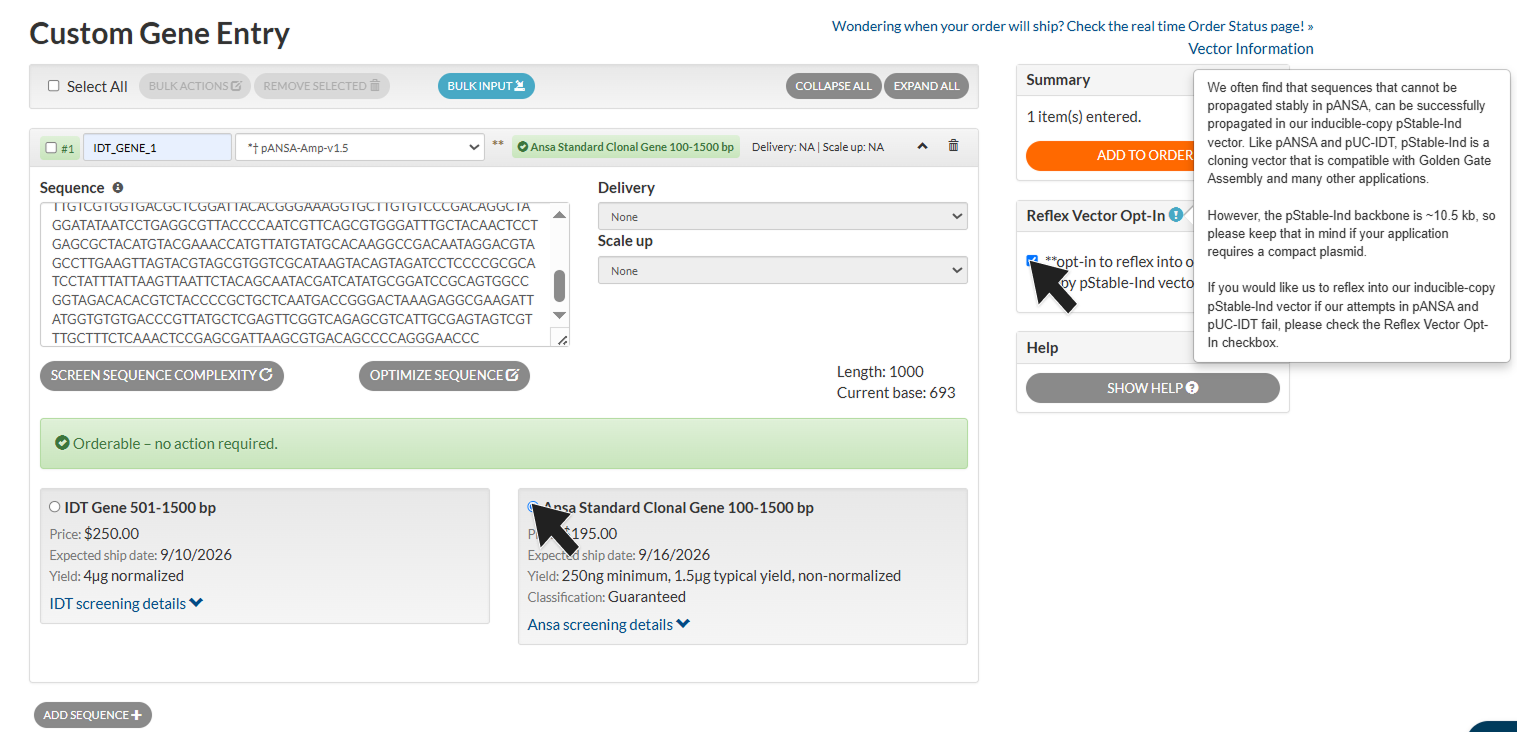
Overview of Gene Synthesis Order Entry Page Updates.
With expanded capabilities via IDT x Ansa, the new ordering page offers enhanced flexibility and optionality, enabling customers to tailor their ordering experience to meet their unique needs and project requirements. Click through the images for step-by-step ordering assistance.
Gene Synthesis Order Entry.
Genes require (1) Sequence Name, (2) Vector Selection, and (3) Sequence input prior to complexity screening. Use the 'ADD SEQUENCE' button to enter individual sequences or 'BULK INPUT' to upload multiple sequences simultaneously. Once all sequences are entered, click 'SCREEN ALL & ORDER' to initiate complexity screening and proceed with ordering selection.
* = Ansa-exclusive catalog vector, † = catalog vector available for pStable reflex via Ansa synthesis
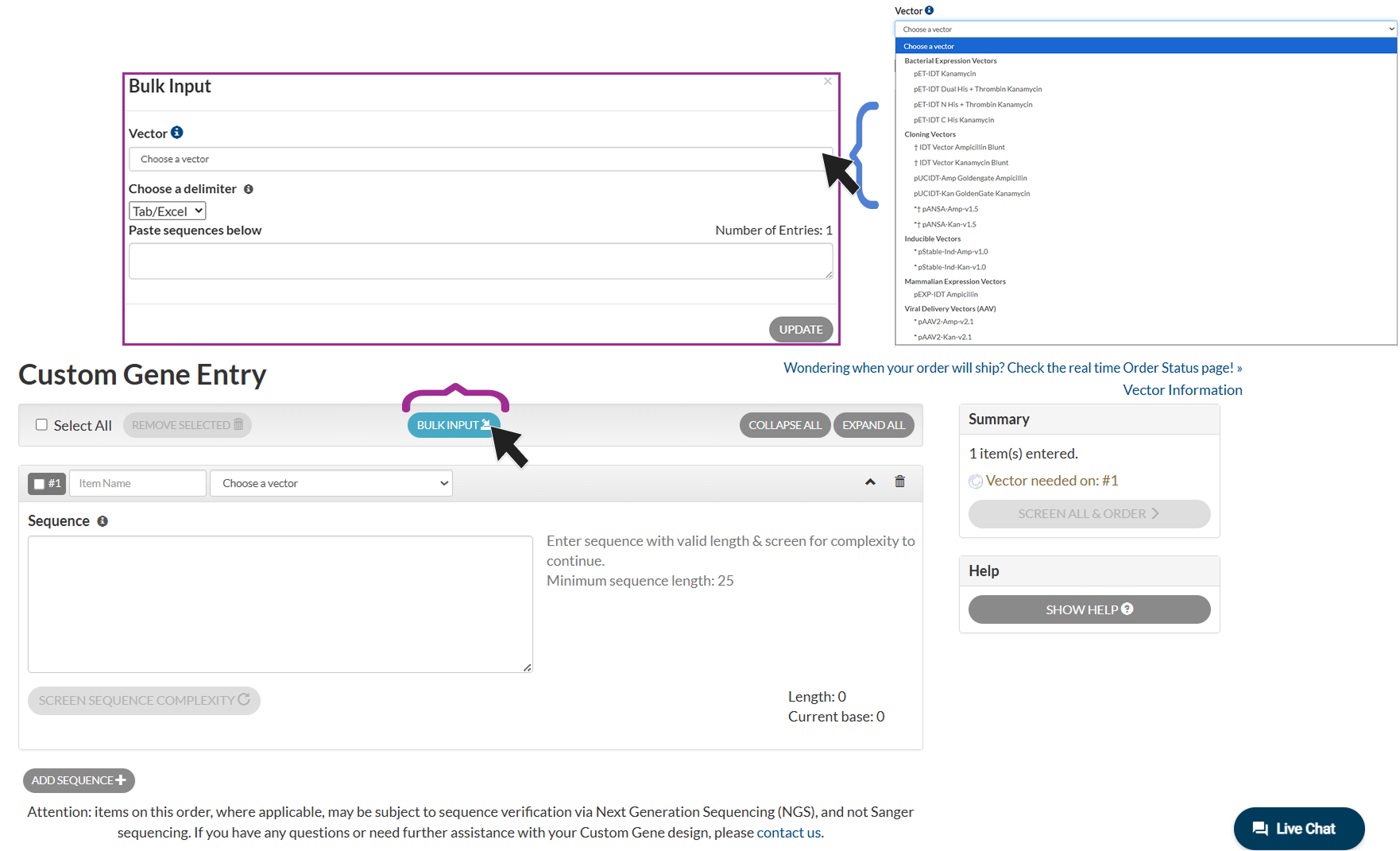
Bulk Input Upload.
Click the 'BULK INPUT' to open the sequence entry window, where multiple sequences can be pasted simultaneously. The vector selected from the drop-down menu will be applied to all uploaded sequences by default; however, vector selections can be modified for individual sequences after upload. 'Choose a delimiter' supports multiple sequence input formats. Click 'UPDATE' to import sequences to the main ordering page.
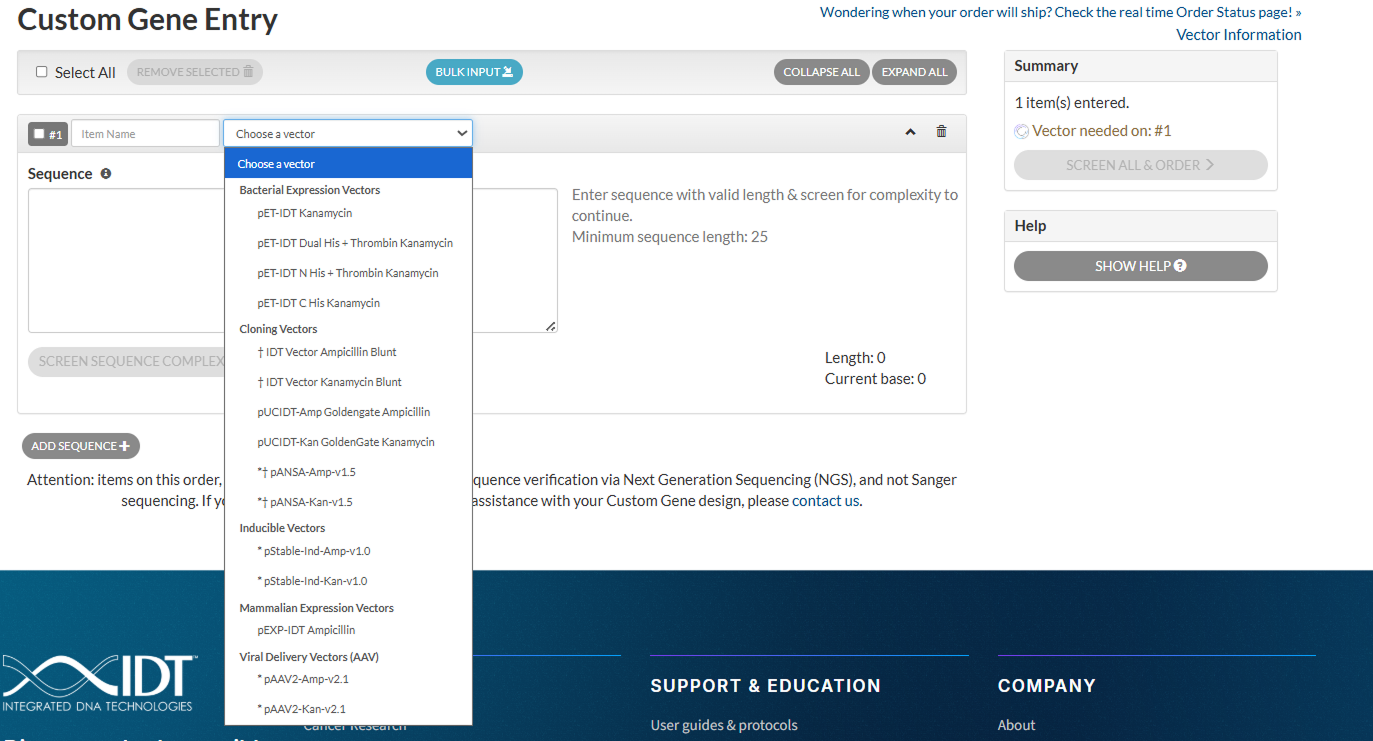
Vector Selection.
Catalog and custom vectors can be individually selected per gene sequence. Vector must be selected to initiate complexity screening. Custom vectors require login to IDT web account to access and can only be ordered via IDT synthesis, meeting complexity requirements (Score < 19). Catalog vector sequence files can be found on the Gene Synthesis product page.
* = Ansa-exclusive catalog vector, † = catalog vector available for pStable reflex via Ansa synthesis
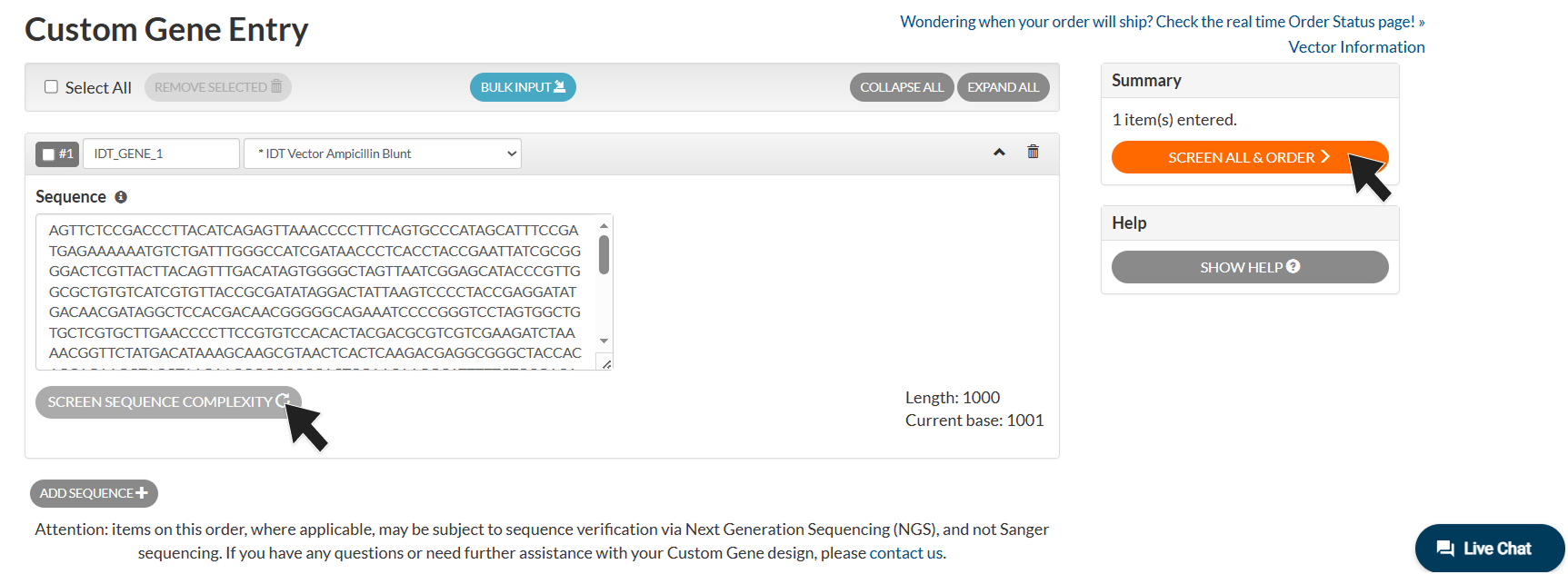
Initiate Complexity Screening.
After all required information has been entered, initiate complexity screening by selecting either "SCREEN SEQUENCE COMPLEXITY" for an individual sequence or "SCREEN ALL & ORDER" to screen all uploaded sequences simultaneously. If a sequence is modified after screening, complexity screening must be rerun to evaluate the updated design. Returned complexity results will prompt next steps in ordering process.
Complexity Screening Time.
With the expanded Gene Synthesis capabilities, complexity screening times may vary. Screening of XL and highly complex sequences may require the longest processing times. While screening is in progress, two progress indicators (highlighted in purple) will be displayed. Please allow the screening process to complete before taking further action. If complexity screening does not complete, an error message will be displayed and the sequence may need to be resubmitted for screening.
Optimize Sequence.
Based on the complexity screening results, sequences can be modified to address identified complexity concerns by selecting 'OPTIMIZE SEQUENCE.' This option opens a dialog window that allows users to manually edit the sequence or perform codon optimization. To review detailed screening outcomes, click the 'Screening Details' drop-down arrow associated with the respective product to expand and view the full complexity assessment results.
IDT x Ansa Synthesis Optionality.
Once complexity screening has been completed, available product options will be displayed beneath each sequence. When both IDT and Ansa synthesis are available, select your preferred synthesis provider based on specifications. If only one synthesis option is feasible, the system will automatically apply that selection without requiring additional input.
Custom Vectors, Scale-Up, and Glycerol Stock services are only available IDT synthesis products. Product deliverables differ between IDT and Ansa offerings, including pricing, yield, and turnaround time. If your preferred synthesis option is unavailable, consider modifying the sequence (ie: Codon Optimization) to reduce complexity and improve synthesis feasibility.
Prior to adding items to the cart, carefully review all product selections and associated service options to ensure they meet your project requirements.
*If synthesis fails via IDT or Ansa, the construct will be canceled. Item will not be automatically reordered for synthesis via other provider.
Synthesis Reflex.
As DNA constructs increase in length and complexity, traditional cloning vectors may not always support successful synthesis. To improve the likelihood of delivering a construct rather than cancelling an order due to vector-related synthesis challenges, you may opt in to the pStable-Ind reflex pathway when ordering in IDT Vector Blunt or pANSA vectors via Ansa synthesis. To enable this option, select the "Reflex Vector Opt-In" checkbox prior to adding sequences to the cart.
Any vector change resulting from this reflex process will be documented in the accompanying QC materials. Additional pStable-Ind technical resources are available in the Resources section of the Gene Synthesis product page.
Bulk Actions.
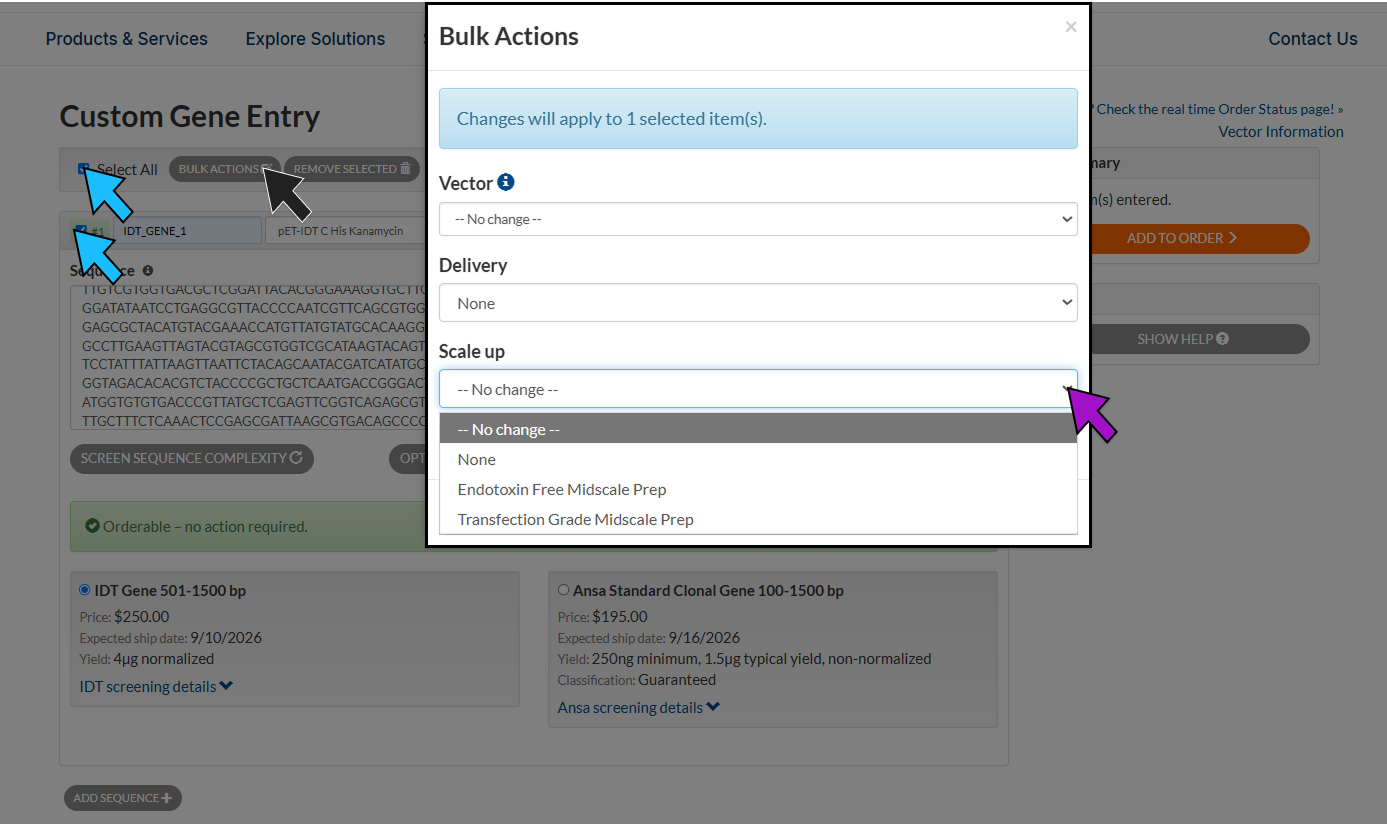
To update specifications for multiple sequences, first select the desired items using the checkbox next to each sequence, or use the 'Select All' checkbox (blue arrow). Next, click 'BULK ACTIONS' (black arrow) to open the Services window. Within the pop-up window, you can simultaneously update Vector, Delivery, and Scale-Up specifications for all selected sequences. The window will display the number of selected items eligible for specification updates. Items that are incompatible with updates will not be altered. Once your changes have been reviewed, click 'APPLY ALL' to implement the updates across all selected sequences.
With IDT x Ansa Biotechnologies, researchers can order standard and complex clonal genes up to 50 kb, expanding synthesis capabilities in one powerful platform.
By combining traditional chemical synthesis with next‑generation enzymatic technology, IDT with partner Ansa can now deliver a broader range of gene designs. To get started, click the ORDER MY GENES button below!
| Tab/Excel: | Name Sequence |
| Comma: | Name,Sequence |
| Semicolon: | Name;Sequence |
| FASTA: | >Name Sequence |